In case you missed it

Top new features
of 2026 (so far)

The Detrack team have packed a lot into 2026 so far, releasing 20 new features and enhancements. Everything we dispatch comes from conversations with customers, and is designed to enhance how dispatchers actually run their day, and how managers view the key areas of their business.

Here are our top 8 new features you can’t afford to miss.

Tools that help you

Get a jump on the day

Plan by time slot, not travel order, with Schedule View

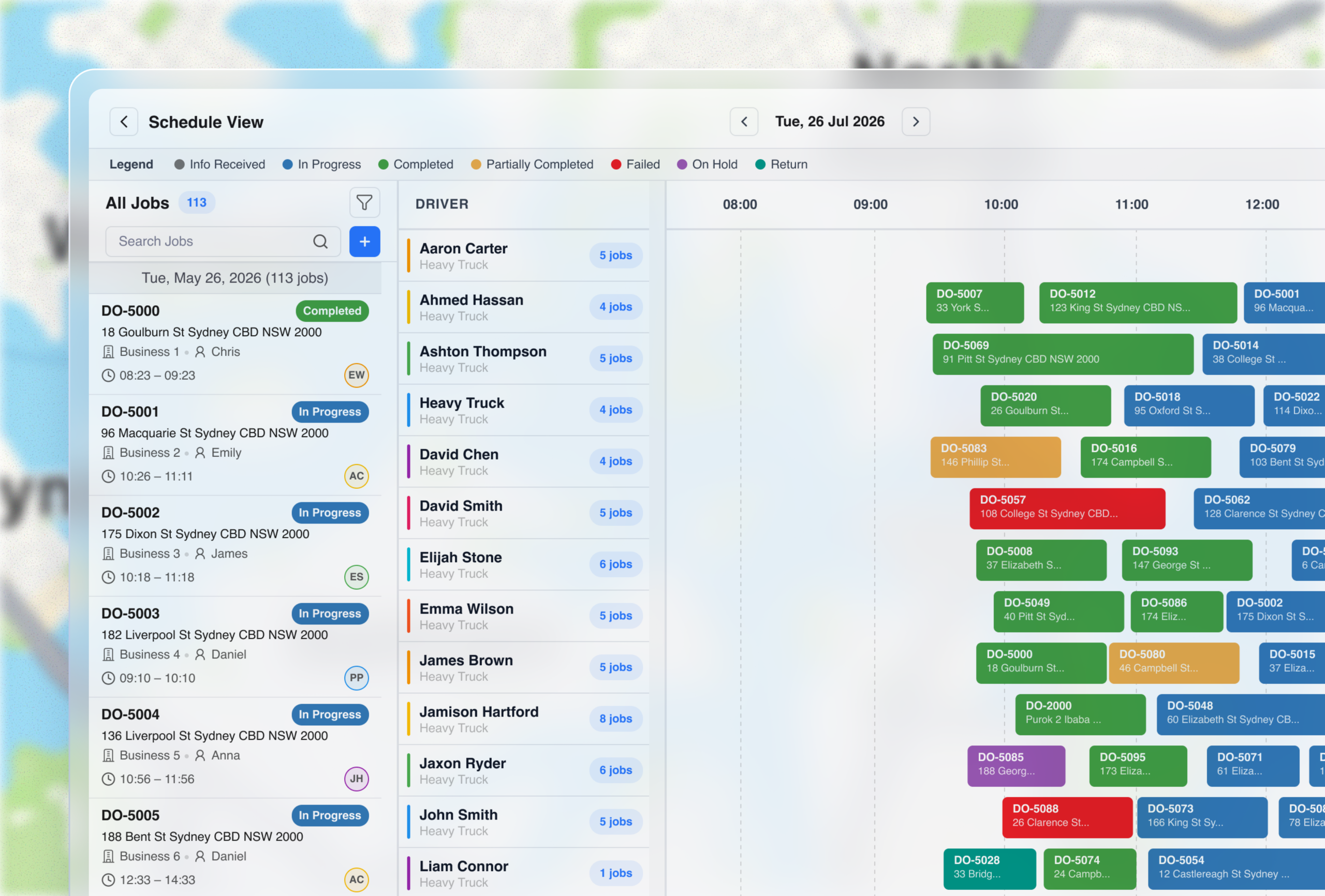
Scheduling View replaces whiteboards and any workaround tools like a shared calendar view. It shows your team’s day as a calendar-style timeline, with each driver running their own lane. Every job sits in its time slot, so you can see at a glance who is booked, who has availability, and where the day needs rebalancing.

It’s also built for the unexpected, with the ability to drag and drop a job when it’s rescheduled, and to hand it to another driver if someone calls in sick or is running late.

Schedule View, a calendar timeline with a lane for each driver and a job being dragged to a new slot

Ideal for teams that run on bookings and time windows

This feature was requested by customers who don’t often use route optimisation to build the most efficient travel order.

🔧 Services and trades Set delivery times for delivery of trade goods
💊 Healthcare Lab sample pickups and medication deliveries at set times
🛋 Furniture and movers Delivery crews working to agreed windows, often with onsite install time
🧱 Building supplies Deliveries booked around site access windows
💐 Florists and gifting Serving key life moments like weddings, where timing matters most
🚚 3PLs Trusted to honour contracted delivery slots for retail customers

Let’s get you moving in the right direction

Make every vehicle count with Capacity Indicators

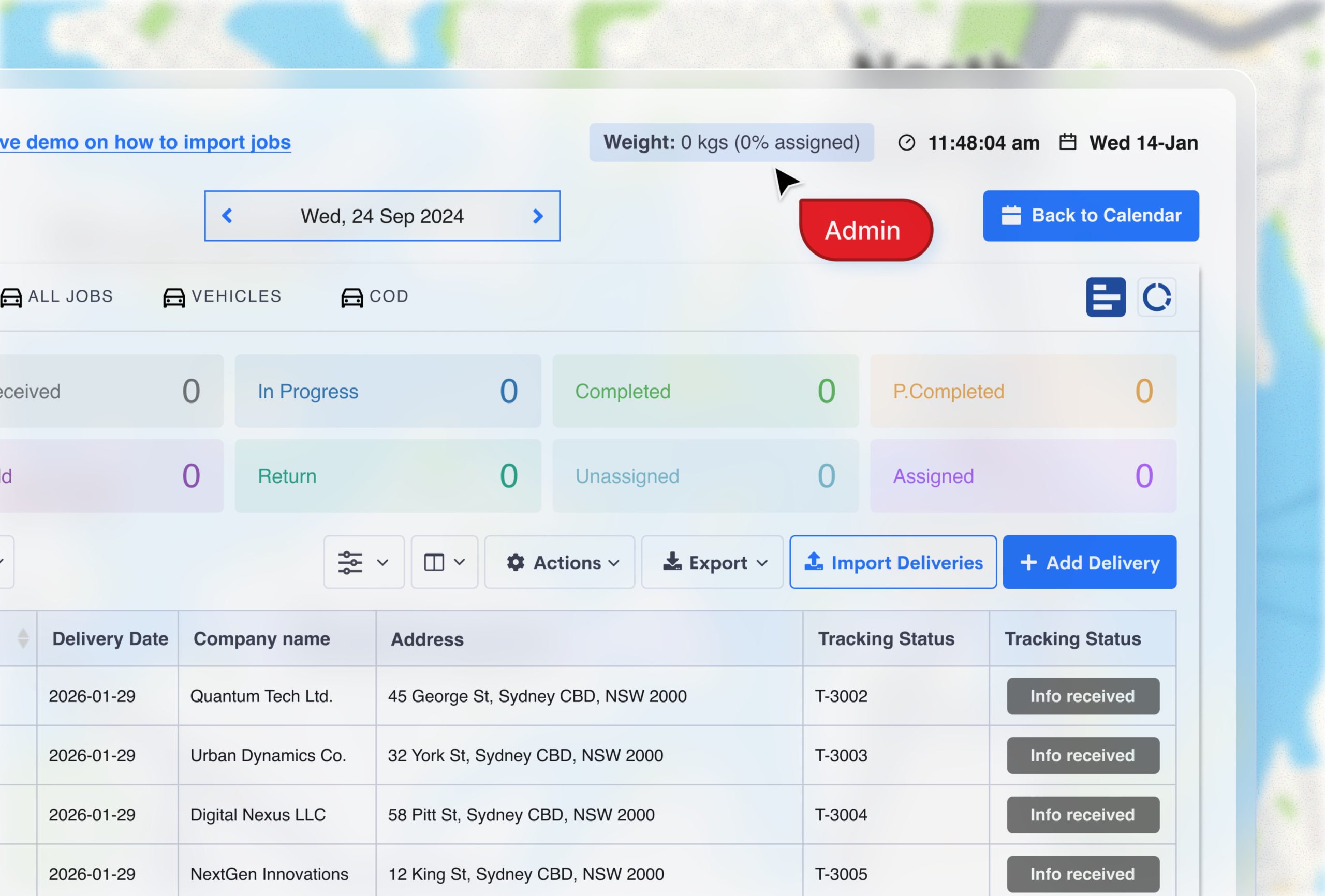
A quick and easy way to make sure every vehicle earns its keep before anyone hits the road. On the jobs table, you can now see the total load for the day across weight, cubic metres, or pallets, and the percentage that has been allocated to each driver.

At a glance you can see where to consolidate runs, and avoid sending out vehicles that aren’t full enough to justify rising operational costs.

Jobs table showing total load for the day and the percentage already allocated

One view across all branches with Route Optimisation Across Groups

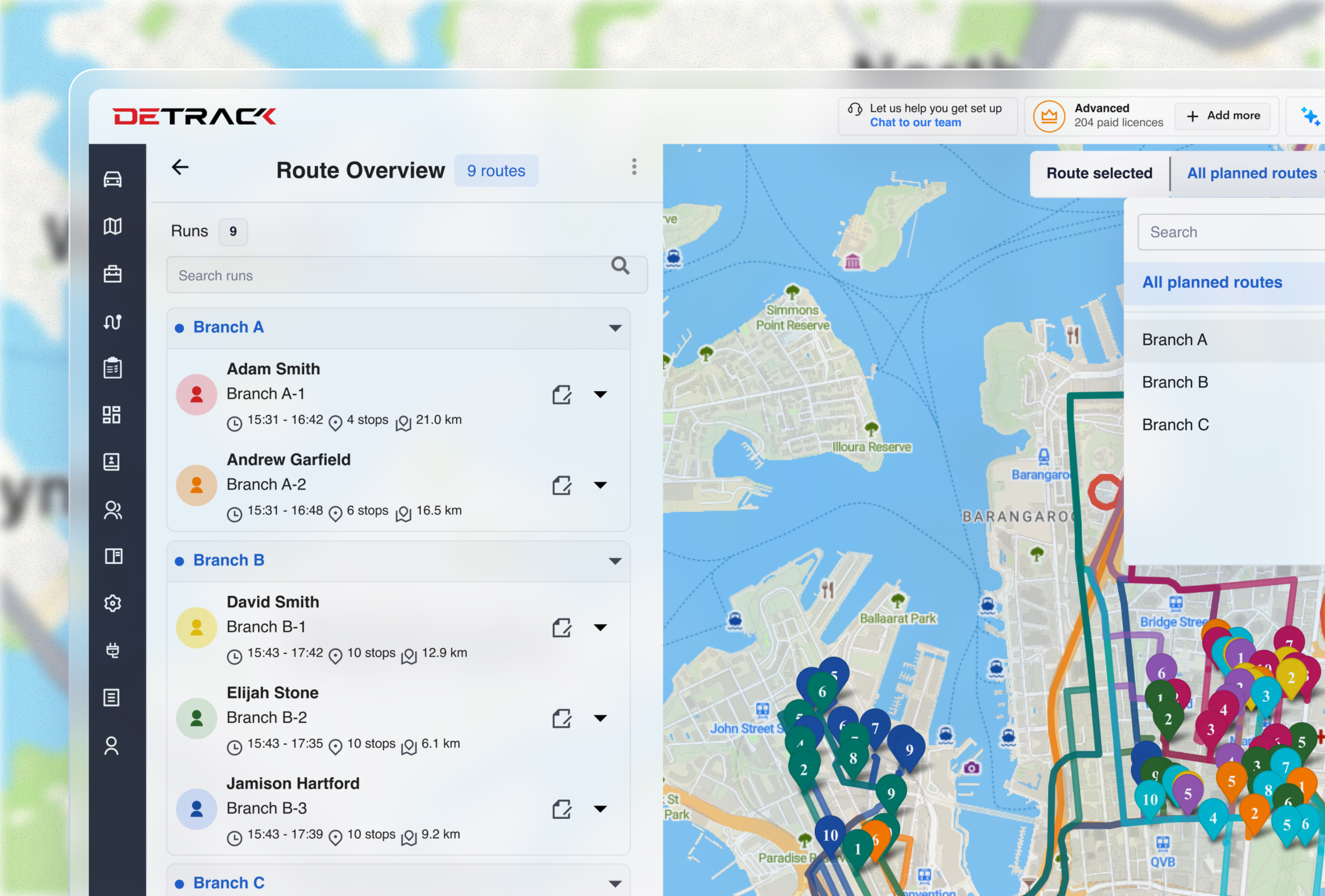
Multi-branch operations can easily struggle with the visibility needed to spot cross-over and optimisation opportunities. Now, every route and stop across every group sits in a single overview, so you can spot overlapping jobs and reallocate, while each branch carries on running its own day.

  • All routes and stops across all groups, in one overview
  • Spot overlap between branches and rebalance
  • Works the same at 5 branches or 50
Routes and stops from every group shown in a single overview

Built for all multi-site operations, and used most by:

🧱

Building suppliers with multiple branches delivering to the same sites

🚚

3PLs and couriers that need depot-level planning and network-level oversight

🍔

Food distributors managing overlapping runs across several distribution centres

Tools that help you

Keep ahead of the action

See progress at a glance with Timeline View

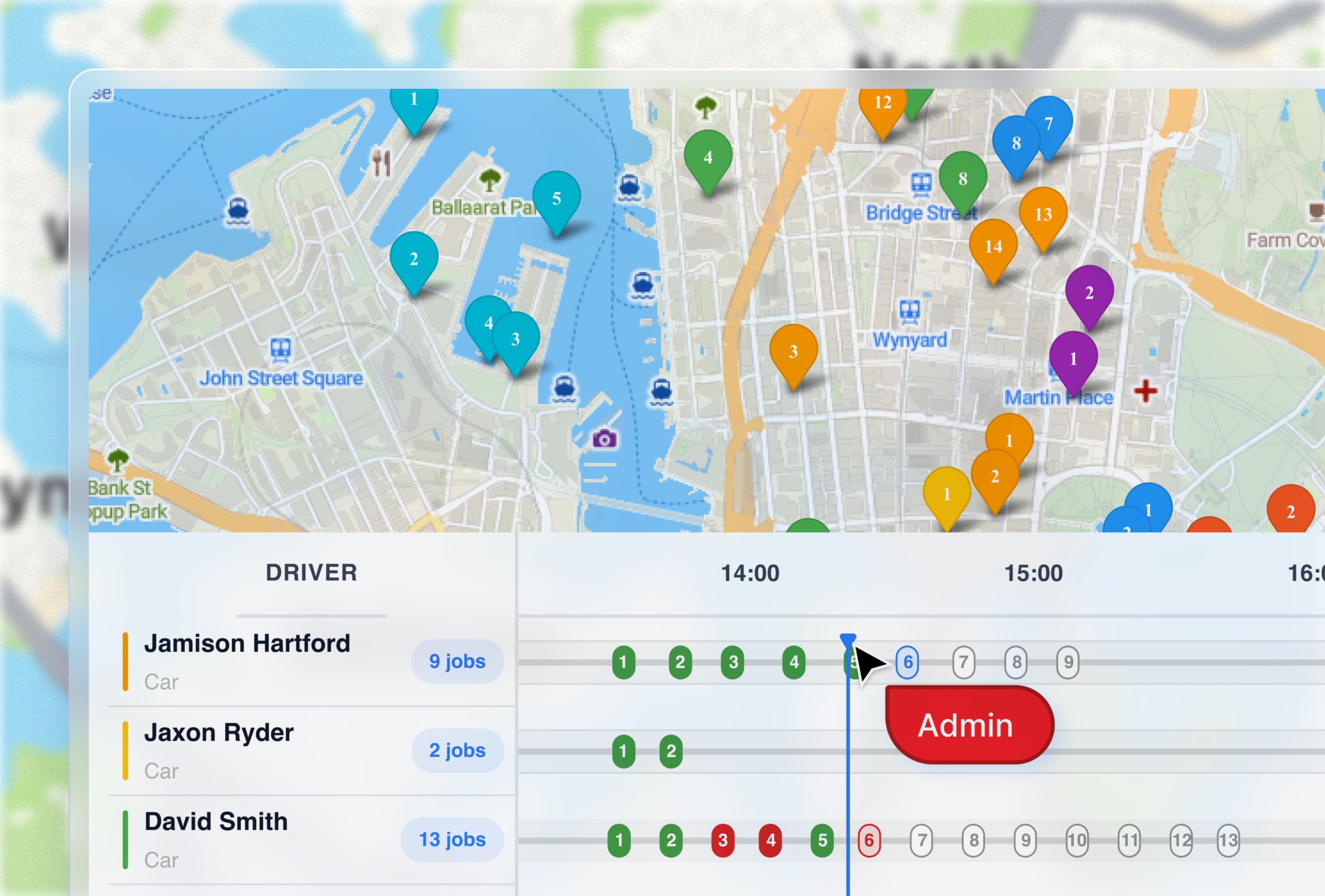
Rather than switching between the job list and your map to work out where everyone is, see every driver’s day side by side, based on live ETAs and service time. Each job is colour-coded so you can spot issues before they arise, or before your customer picks up the phone.

Timeline View with each driver’s day side by side and jobs colour-coded by status

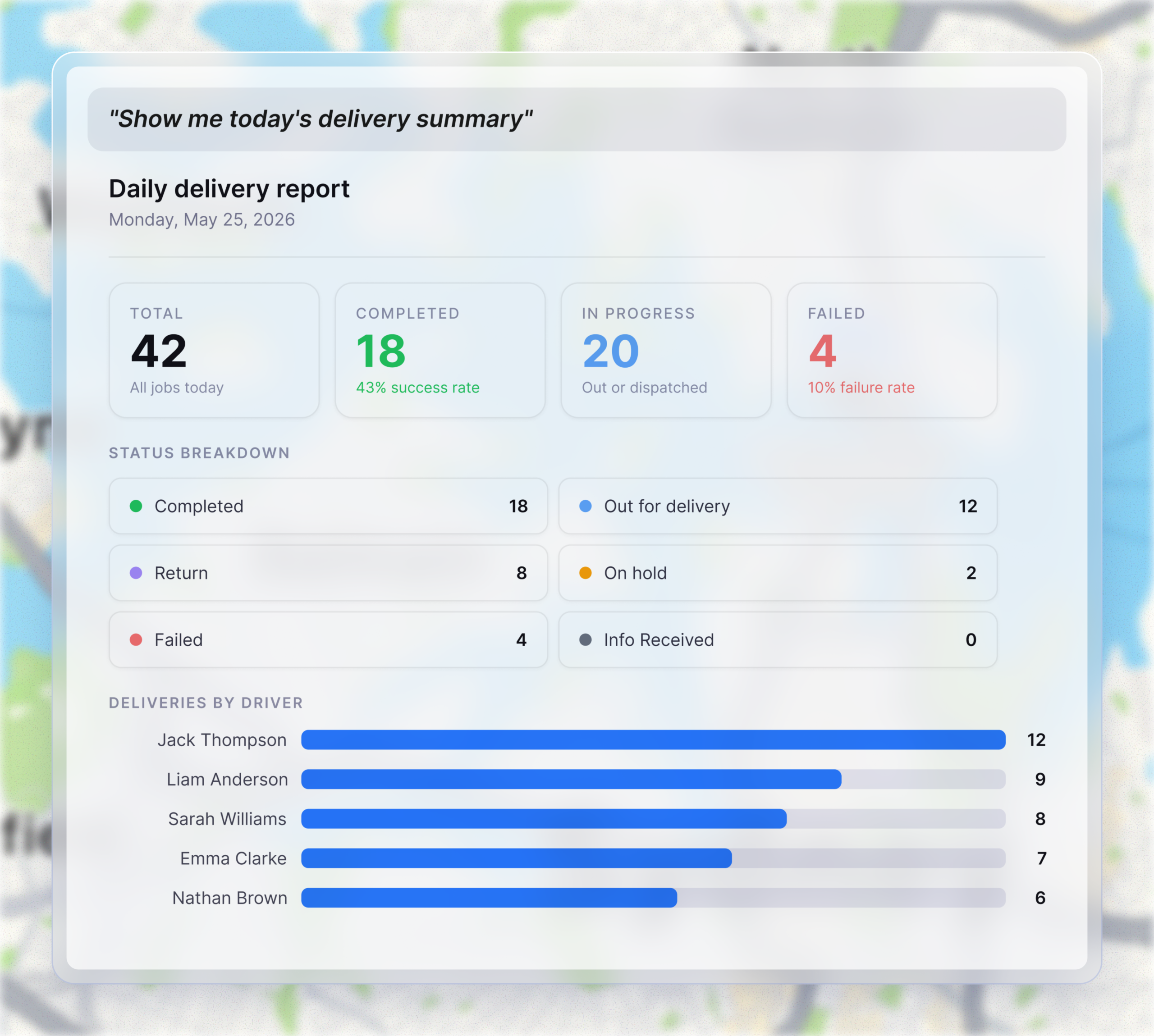
Query your data in plain English with our MCP connector

Connect Detrack to Claude, ChatGPT, or any MCP-compatible AI tool and ask about jobs, drivers, and operations the way you’d ask a colleague. Answers come back from live Detrack data, scoped to your groups, zones, and job types, inside your own environment.

Ideal for when you need answers on the fly, and just as useful when you want to look back at performance and pull out the insights you need.

Detrack MCP server answering a plain English question about the day's deliveries

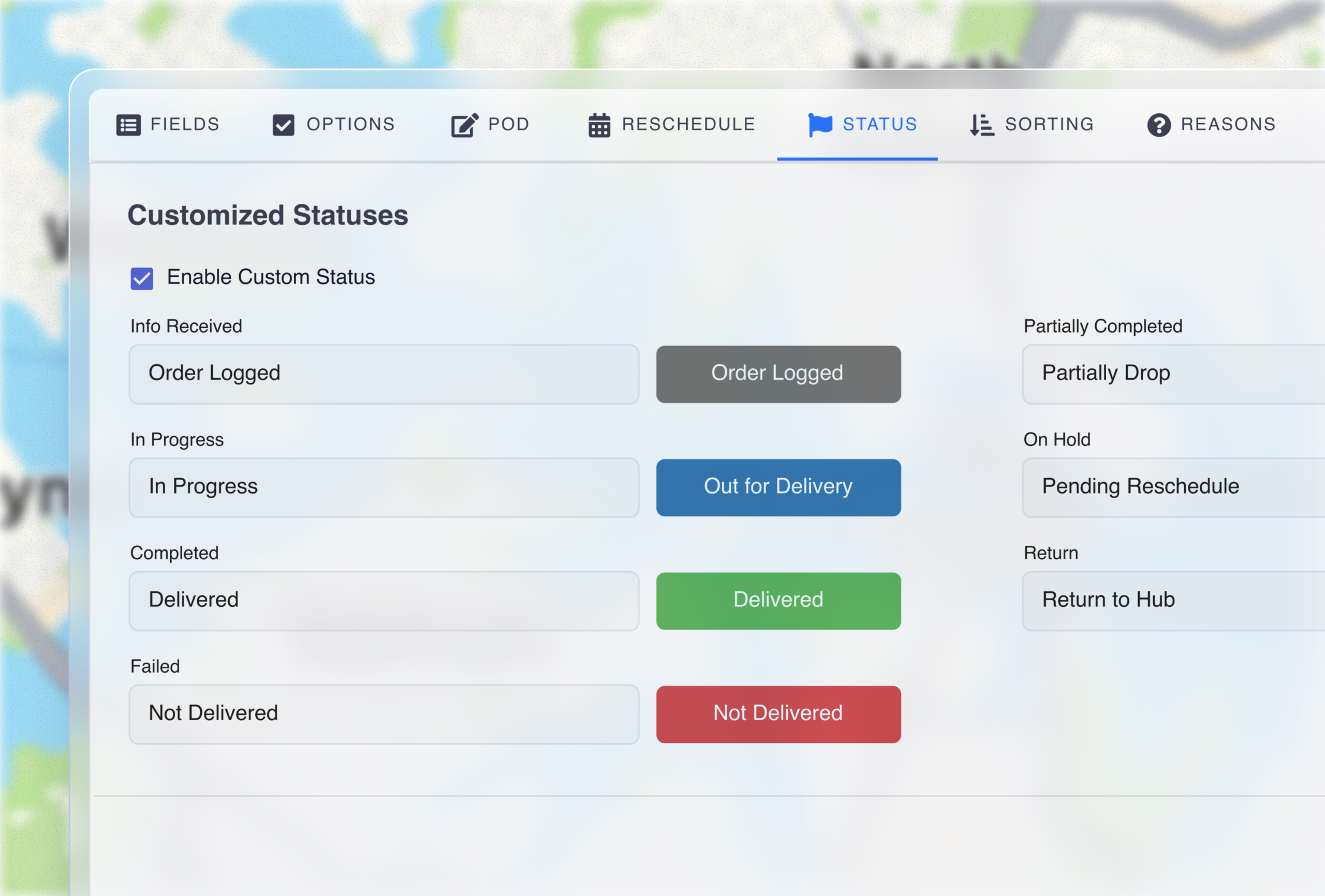
Keep everyone on the same page with Customisable Job Statuses

If your dashboard says “Completed” while your team in the field says “Delivered”, that’s a small disconnect repeated at every touchpoint. You can now rename any default status, and it carries across job views, maps, routes, reports, tracking widgets, rate cards, and settings, all the way through to what your wider teams and customers see.

Default job statuses renamed to match a team's own language
Tools that help you

See where the time and money went

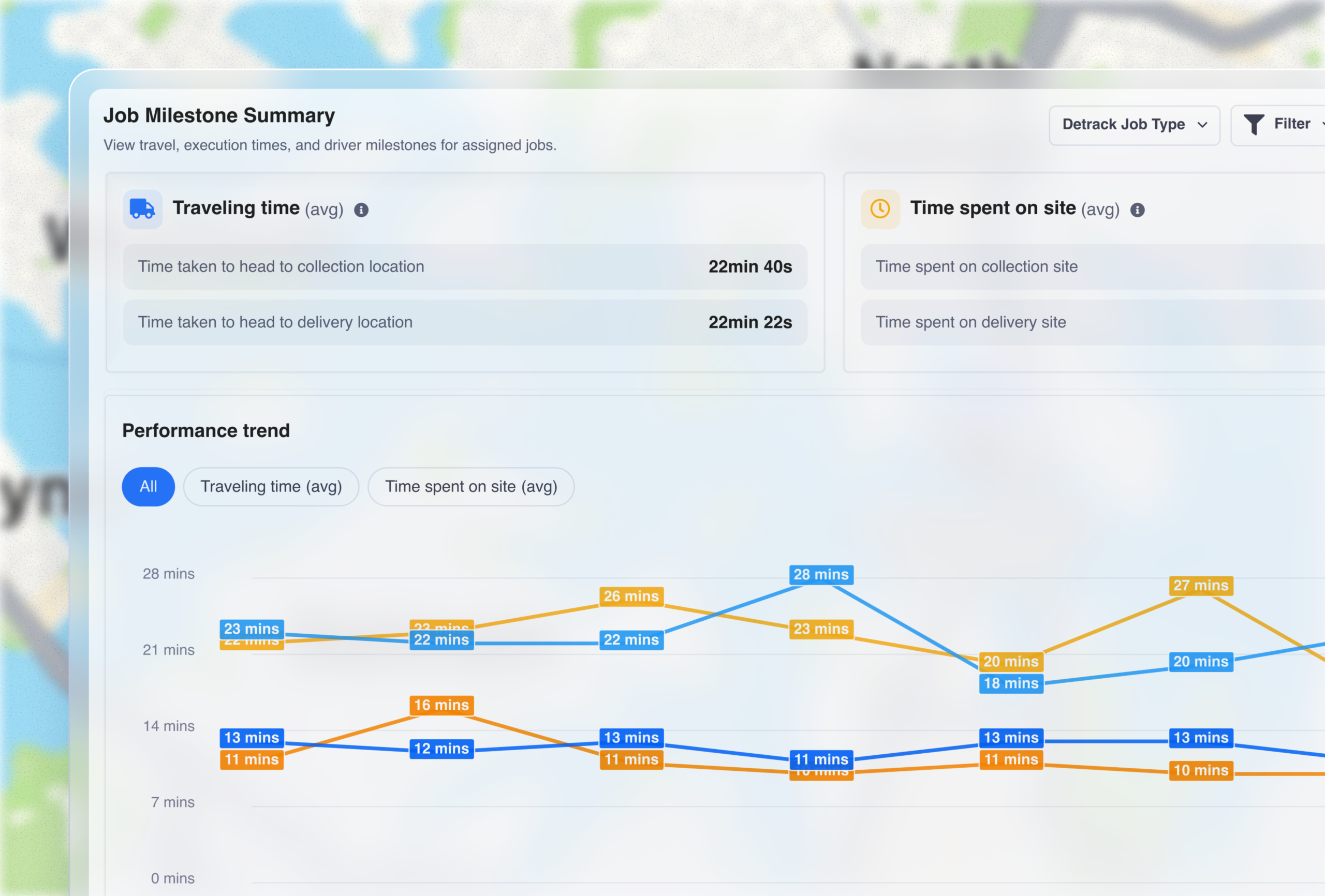
Get the ‘why’ behind late jobs with Milestone Reports

You always knew when a job ran late, but couldn’t easily see if the time went on the road, onsite, or both. Milestone Reports separate travelling time from time spent on site, so you can coach drivers, build schedules that hold up, and price work on what it actually takes.

  • Get a clear line of sight on:
  • Average travelling time and time on site across the fleet
  • Performance trends by collection and job type
  • Side-by-side driver metrics (travel, service, and site time)
  • Job-level drill down, and export for billing or disputes
Milestone Reports performance trend chart for travelling time and time on site

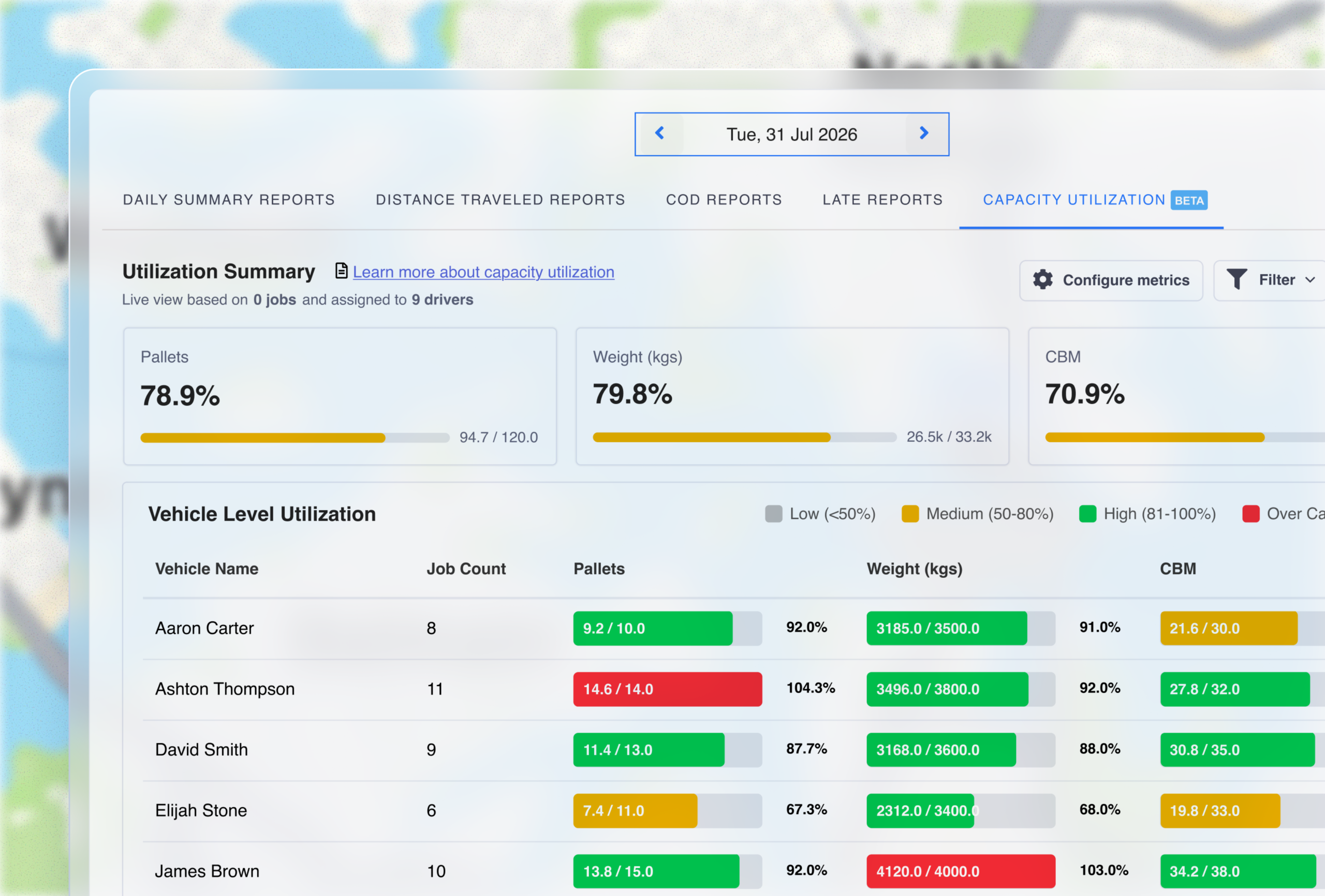
Make sure every vehicle earns its keep with Fleet Capacity Insights

A clear picture of capacity across weight, cubic metres, and pallets, as a live daily snapshot or up to 30 days of history. Every vehicle is colour-coded so imbalances stand out, and you can drill to driver level to compare actual load against maximum.

  • This report gives you:
  • A live daily view, or 30 days of history to find the pattern
  • Colour-coding to see overloaded and underused vehicles
  • Driver-level detail to see exact load versus capacity
Fleet capacity report with each vehicle colour-coded by load against maximum capacity
Do more with Detrack

Test drive all features,
free for 14 days

It only takes a few minutes to add your drivers, upload or create jobs, and start branding your customer communications.