In this dispatch we’re launching one of your most requested reports, giving you a clear view of how time is spent at every stage of a job.
Milestone Reports have landed, right on time
Until now, when a job ran long, you could see that a driver finished late, but not why. Was there an issue on route, too much time spent on site, or both? That makes it hard to coach drivers, build realistic schedules and set delivery rates, or have an informed conversation with a customer who often keeps your team waiting.
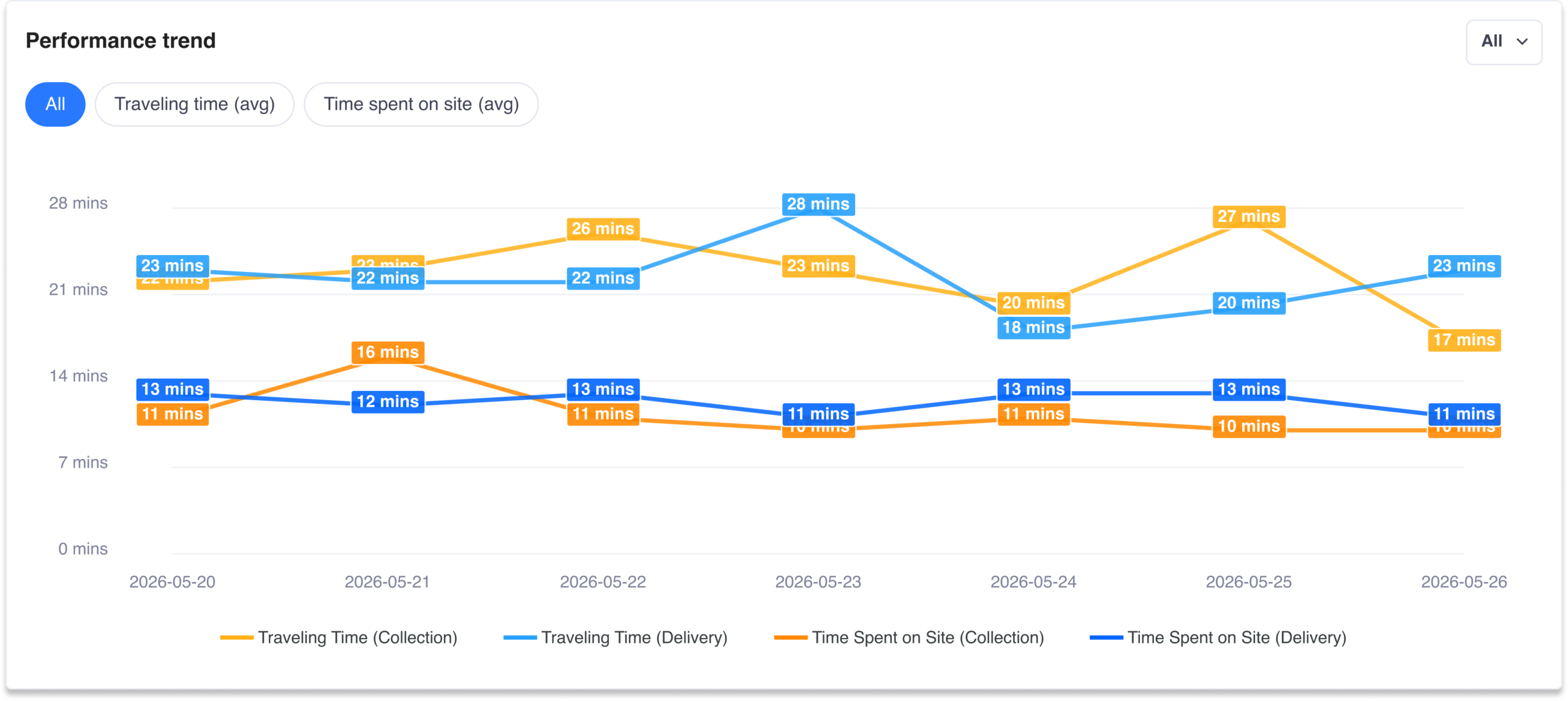
With Milestones Reports, you can now capture travelling time (how long a driver takes to reach a stop) and time spent on site (how long they are there). Together they give you a clear, like-for-like view of where time actually goes across your fleet, so you can spot inefficiencies and make smarter scheduling decisions.
You can now:
Monetise every minute
When a delivery or collection runs well over its agreed window, that extra time can come at a significant cost for your organisation. Many last-mile and service operators absorb these costs quietly because they have never had the data to prove it.
With Milestone Reports, you can now measure the additional time spent on site, recover it as a charge where your agreements allow, and settle any dispute with exported, job-level timestamps rather than a back-and-forth from memory.

Getting set-up
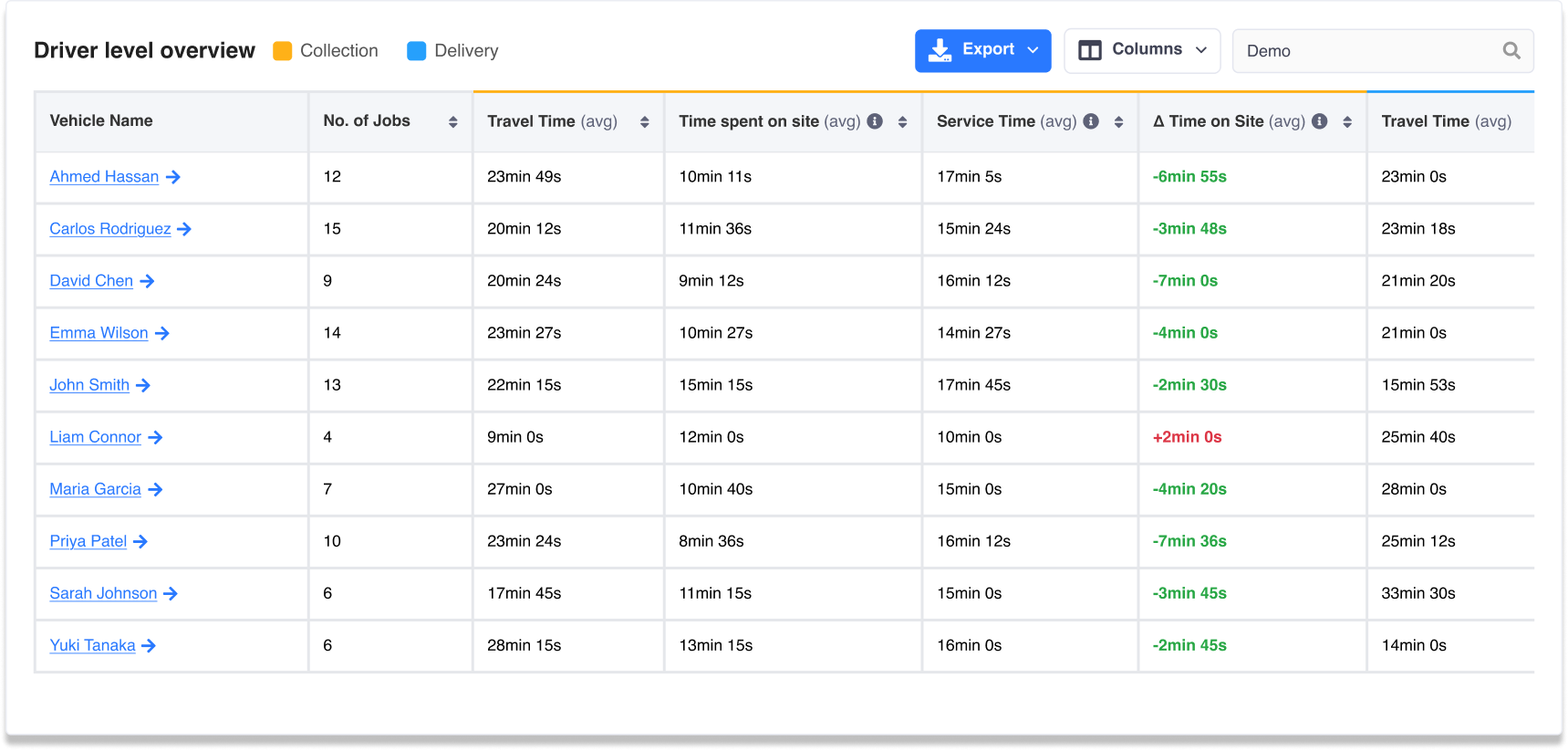
The insights from your reports are only as good as the data behind them. For your timings to be accurate, three things need to happen:
- Service time is filled in when you import or manually add jobs – this is your expected time on site. You can set a default time across all jobs if needed
- Drivers mark their key milestones in the app (heading to location, then arrived at location)
- Drivers complete the POD on every job, so the completion time is logged
💡 Quick tip: Remind your drivers to use the ‘heading to location’ and ‘arrived at location’ statuses within the driver app. Along with the POD completion timestamp, these statuses ensure accurate reporting. You can also use these statuses to enable timely customer notifications.
Detrack MCP server
Claude is now live, and we are currently working on Microsoft Copilot, ChatGPT, and others. If you haven’t already, you can join the beta waitlist and be one of the first to:
- Ask plain-English questions about jobs, drivers, and operations directly inside your AI platform of choice
- Get answers backed by live Detrack data, filtered by your groups, zones, and job types, within your own environment
- Cut a multi-minute lookup down to seconds, whether you’re checking a driver’s status, querying a customer’s delivery, or getting an ops overview across multiple branches