In this dispatch we have big AI news, two new enhancements, a handy feature tip, and important information about supported devices.
Detrack MCP server (beta)
We’ve always been laser focussed on integrations because we know how important it is to have all your systems talking to each other. For organisations using AI, MCP is the integration that matters most. It’s not just about asking questions in natural language. It’s about your preferred AI model blending different data sources together to surface the insights and answers you need.
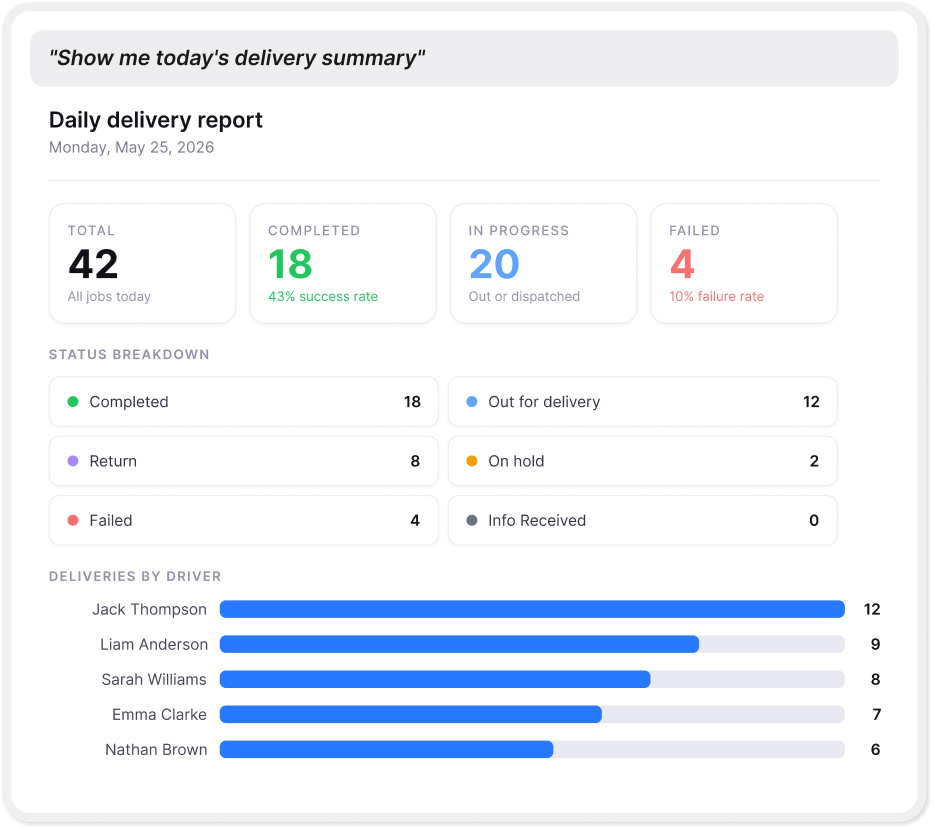
With the Detrack MCP server, you can now:
- Ask plain-English questions about jobs, drivers, and operations directly inside Claude, ChatGPT, or any MCP-compatible AI tool
- Get answers backed by live Detrack data, filtered by your groups, zones, and job types, within your own environment
- Cut a multi-minute lookup down to seconds, whether you’re checking a driver’s status, querying a customer’s delivery, or getting an ops overview across multiple branches
The Detrack MCP server is ready to release into beta with Claude, and we are currently working on ChatGPT, Microsoft Copilot, and others. If you’d like early access and are subscribed to Detrack Advanced, please join the waitlist and the team will be in touch soon.
Route optimisation across groups
Multi-branch operations can easily struggle with visibility. Before now, if your branches planned their own routes independently, each under a different Detrack group, there was no way to see the full picture without centralising all route planning first.
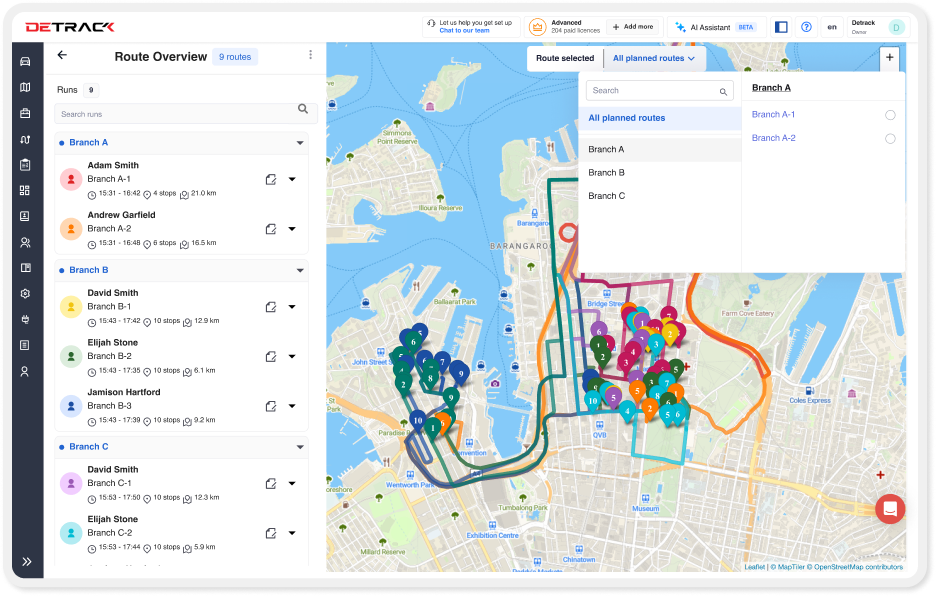
With route optimisation across groups, you can now:
- Get easy visibility of overlapping jobs and routes across branches, so you can re-allocate and optimise the day
- View all routes and stops across every group within a single overview
- Let branches plan their own routes independently, without sacrificing visibility at the highest level
- Oversee fleet-wide operations across 5, 10, or 50 branches, without changing how each branch operates
Job statuses are now customisable
What’s in a name? When your dashboard says “Completed” but out in the field your team say “Delivered”, there’s a small but constant disconnect across dispatchers, drivers, and customers. Multiply that by every touchpoint in your workflow and it adds up.
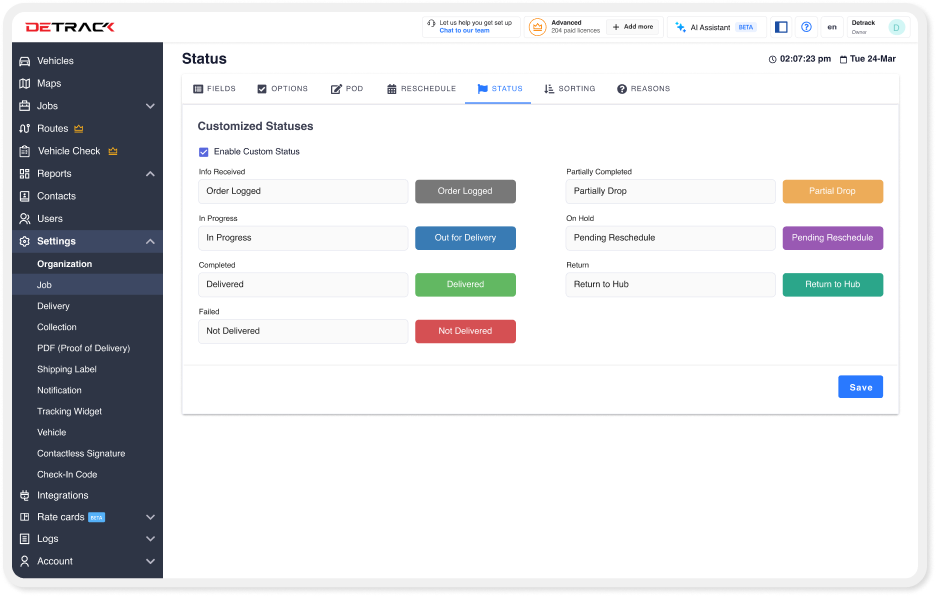
With customisable job statuses, you can now:
- Rename any default job status to match your internal language (for example, “Completed” becomes “Delivered” or “Job Done” or “Yes! We Did It”)
- Keep terminology consistent everywhere it appears, across job views, maps, routes, reports, tracking widgets, rate cards, and settings
- Present a more coherent experience to your customers, from the tracking widget to delivery confirmation
NOTE: This feature isn’t turned on by default. If you would like this enabled for your organisation, please let our support team know via live chat within your dashboard, and we’ll enable in no time at all.
Feature tip: pin your preferred map view
Have you set up your map view to zoom in on the area that best suits your workflow? If not, you’re not alone. Many of the users the team spoke to recently didn’t know that you can set a preferred default view for your map.
Simply zoom in to your preferred area and click the pin icon. Easy!
A heads-up on unsupported devices in fleets
Devices running older operating systems are no longer supported by current App Store and Google Play requirements, which means apps like ours can’t be updated on them. As a rough guide, phones and tablets more than 5–7 years old are usually affected. It would be worth checking your asset register for how old your drivers’ phones are today.
While your drivers may still be able to use these devices in the short term, they will no longer receive important security and feature updates from the device manufacturer or from Detrack.
As with all software manufacturers, we can’t guarantee reliable performance on outdated devices and recommend that you make a plan to review and upgrade outdated devices connected to the Detrack Driver app. We’ve put together a help article with the complete requirements, along with other helpful information about getting the most out of the Driver app. If you’d like a hand reviewing your setup or talking through replacement options, don’t hesitate to reach out to the team.