AI dispatch software thatcreates urgent jobs
Detrack’s AI dispatch software creates urgent jobs, tells you where your drivers are, updates jobs on the fly and answers questions in seconds, all under your control.
Detrack gives dispatchers and managers two ways to work with AI: AI Co-Driver, an agent built into your dashboard, and the Detrack MCP server, for blending delivery data with your other systems in Claude or Copilot.
What can an AI dispatcher do for your team?
With dispatchers and managers in the driver’s seat, Co-Driver works with your live jobs, drivers and settings to help navigate the day and get more done.
Plan the day, then keep it moving
Upload an order straight into the chat, or describe the what, where and when, and Co-Driver creates the job for you.
This is a delivery for Friday 20 Nov with 5 items. Shall I create the job and assign it to Mia?
Done. DO-2026-004817 is booked for Friday 20 Nov with 5 items and assigned to Mia. You’ll find it under Jobs → Deliveries, and it’s already in Mia’s driver app.
Completed
Ask Co-Driver to hand out the day’s unassigned jobs, and it checks who has room before it does.
There are 6 unassigned jobs for today, all in the north zone. Mia has the lightest run with 8 stops. Shall I assign all 6 to her?
Done. All 6 jobs are now assigned to Mia and in her driver app.
Completed
Book a last-minute delivery in one message, assigned and flagged so the driver sees it straight away.
Harbour Kitchen has a saved address at 12 Quay Street. Shall I use that?
Done. D.O. 40540 is booked for this afternoon at Harbour Kitchen with 2 items and assigned to Callum. I’ve added “URGENT, please prioritise” to the instructions so he sees it in the app.
Completed
Change an address, a date or a driver in your own words, without opening the job.
Which job are you referring to?
I’ve updated the address for D.O. 40522. It’s now going to Northside’s Rosedale yard.
Completed
Stay across the day without living in the dashboard
See what’s delivered, what’s outstanding and what failed, then act on it in the same chat.
Here’s today so far, 42 jobs in total:
- Delivered28
- Out for delivery9
- Not started3
- Failed2
D.O. 40518 at Foodfirst was closed on arrival, and D.O. 40526 at Harbour Kitchen had no one to receive it. Want me to rebook both for tomorrow morning?
Ask how a driver is tracking and where the time is going, then rebalance the run if you need to.
Raj has done 14 of his 22 stops and is averaging 12 minutes a stop today. Most took 6 to 9 minutes, but two ran long:
- Northside Building Supplies: 41 minutes
- Foodfirst: 33 minutes
Want me to move his last 3 stops to Callum?
Done. 3 stops have moved from Raj to Callum, and both driver apps are updated.
Completed
Tell Co-Driver which settings you’d like enabled or changed, rather than searching for them yourself.
Phone number is currently shown but optional on new jobs. I can make it mandatory from Settings → Job → Fields. This ensures that any new job without a phone number will be rejected until one is entered. Existing jobs aren’t changed. Shall I go ahead?
Done. The phone number is now a mandatory field for newly added jobs.
- Before: Customer’s Phone No. was shown on the job form but optional
- After: Customer’s Phone No. is now required on the job form
Completed
Tell Co-Driver what drivers must capture at each delivery, and it updates your POD settings for you.
Yes. Right now photos are optional and drivers can take up to 10. I can make at least 1 photo compulsory in Settings → Job → POD, so drivers can’t complete a delivery without one. Shall I go ahead?
Done. Drivers now need at least 1 photo to complete a delivery.
Completed
Example conversations. Names and job numbers are for illustration.
All of this runs on read and write. Your Owner or Super Admin switches it on in Settings > AI Settings and chooses which actions Co-Driver can take. Until then, Co-Driver can still answer how-to questions and help with Settings.
Test drive all features, free for 14 days
It only takes a few minutes to add your drivers and create your first jobs, then ask Co-Driver for a hand. Need help? Our team is available 24/5 for practical, hands-on setup support.
Your dispatch control tower, all in one screen
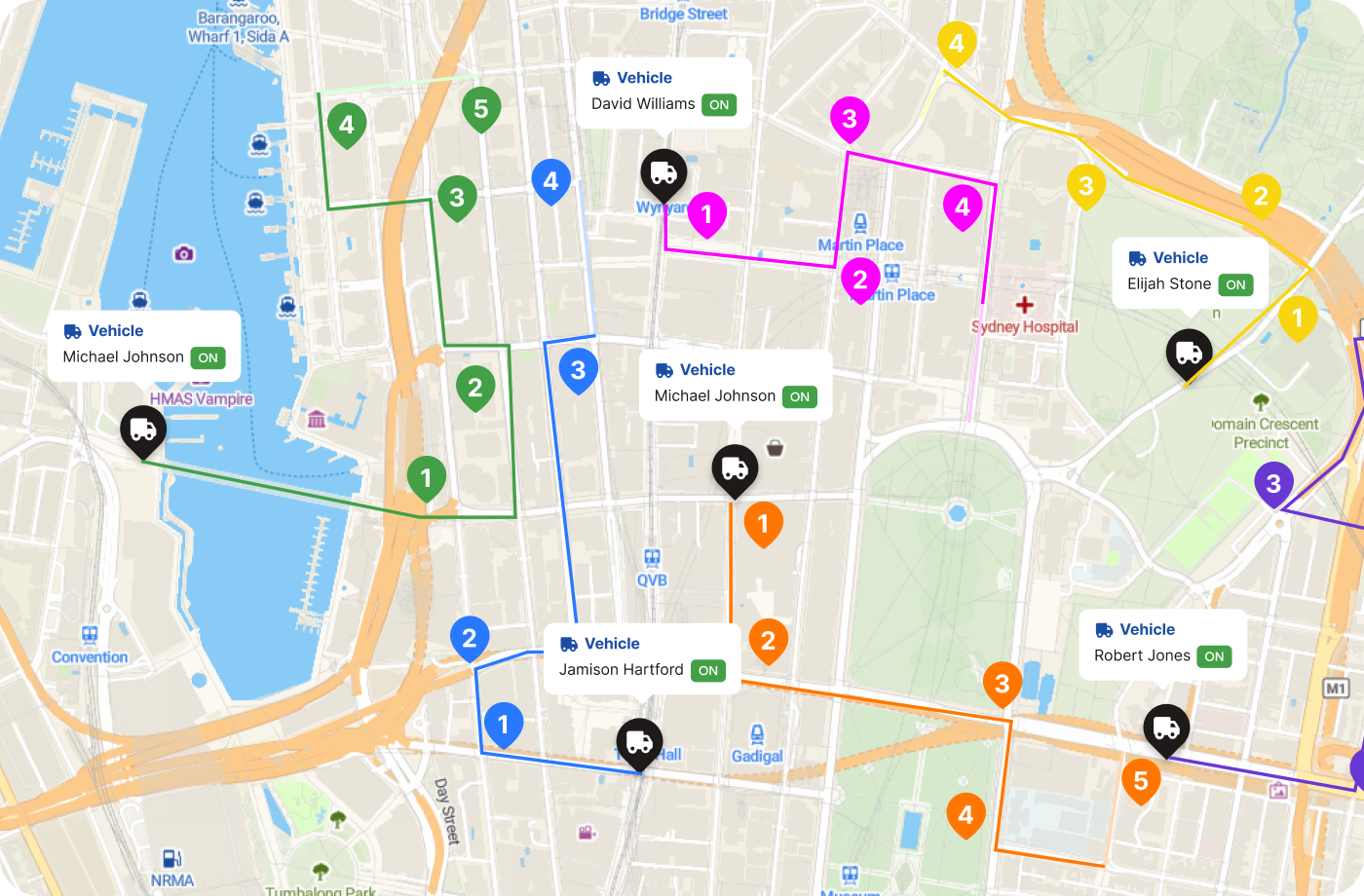
Watch every driver on the live map while Co-Driver handles the changes beside it. No extra screen and no separate login, because it all happens inside Detrack.
- 1
Turn it on
Switch on read and write in Settings > AI Settings.
- 2
Ask in your own words
Type a question or an instruction, or drop in an order slip.
- 3
Confirm and carry on
Co-Driver checks the details with you, then makes the change.
Real people, right behind Co-Driver
Co-Driver handles the quick questions. When you’d rather talk to a person, chat live with our support team or book a call back for practical, hands-on help.
Blend Detrack with your own business data
The Detrack MCP server connects your Detrack account to Claude and Microsoft Copilot. Ask about your operation alongside your own files, data and systems, then have it act for you, using your live Detrack data.
- Combine your Detrack data with other information your AI tools can access, for a bird’s-eye view without copying and pasting
- Create the whole day’s jobs from one file and assign them to drivers
- Plan routes for the day’s jobs across your drivers
- Move jobs between drivers, with a recommendation on which stops make sense
- Ask questions about your jobs, drivers and deliveries
The MCP server is in beta. Once you’re in the beta, contact us via live chat or at support@detrack.com to switch on read and write.
Join the MCP server betaDetrack: search jobs
3 of your 20 key accounts were affected this week:
- Harbour Kitchen: 1 failed (recipient unavailable)
- Northside Building Supplies: 2 late
- Foodfirst: 1 failed (closed on arrival)
Rebook the two failed jobs for tomorrow morning
Detrack: update jobs
Done. Both jobs are rebooked for tomorrow morning and back on the schedule.
I found 24 jobs for today in todays_jobs.xlsx. I can create them in Detrack and split them across Mia, Callum and Raj by delivery area. Shall I go ahead?
Yes, go ahead
Detrack: create deliveries
Done. All 24 jobs are in Detrack for today: 9 assigned to Mia, 8 to Callum and 7 to Raj. They’re already in each driver’s app.
Example chats in Claude with the Detrack MCP server connected.
Co-Driver or the MCP server: what’s the difference?
Both work with your live Detrack data. The main difference is that Co-Driver works alongside you in the Detrack dashboard, while the MCP server lets you blend it with your own business data in Claude or Copilot.
| Compare | Co-DriverThe AI dispatch agent built into your Detrack dashboard | Detrack MCP serverA connector that links your Detrack account to Claude and Microsoft Copilot |
|---|---|---|
| Where you use it | Within your Detrack manager dashboard | Within your Claude or Microsoft Copilot interface |
| Best for | Day-to-day questions and actions, like checking what your drivers are doing or updating a job | Bigger questions that combine your delivery data with the rest of your business |
| What it does |
|
|
Automate with Co-Driver AI
Co-Driver already acts when you ask. Next, it’ll work in the background, spotting issues and handling routine work without being asked, so your team can spend its time on customers, not admin.
- Coming December
Exception Agent
Flags issues as they happen, like a partially delivered job or a failed inspection.
- Coming soon
Dispatching Agent
Takes routine dispatching off your plate, assigning jobs to the right drivers and keeping runs on track as the day changes.
- In the works
Rule-based automation
Set a rule and an agent automates the task for you.
- In the works
Automatic rescheduling
If a job is cancelled, an agent reschedules it to a driver for the next day.
Last updated 23 November 2026
Be the first to access new features
We’re inviting customers to test these new automations before anyone else and help shape how they work. Register your interest and we’ll be in touch.
AI questions we hear every day
Everything you need to know before you start. Looking for more detail?
Visit our full FAQ.
What is AI dispatch software?
AI dispatch software uses AI to help create, assign and manage delivery jobs. In Detrack, that’s Co-Driver: the AI dispatch agent built into your dashboard. You ask in your own words, and it creates jobs, assigns drivers, updates deliveries and answers questions about your day.
What is Detrack AI Co-Driver?
Co-Driver is Detrack’s AI agent, built into your Detrack dashboard. You talk to it in your own words to create jobs from a description or an uploaded order, assign jobs to drivers, update job details, ask where any driver or delivery is up to, change settings, and get help centre answers without leaving the dashboard.
Is Co-Driver an AI agent?
Yes. Co-Driver doesn’t just answer questions, it takes action for you, like creating a job from an uploaded order and assigning it to a driver. You decide which actions it can take, and it checks details with you when it needs to. Next, it’ll also work in the background without being asked.
Which plans include Co-Driver?
Co-Driver is in beta and available on every Detrack plan. You can try it, along with every other feature, free for 14 days with no credit card required.
How do I turn on Co-Driver?
Your Owner or Super Admin turns on read and write access for your organisation in Settings > AI Settings, then chooses the actions Co-Driver can take. Help centre answers and help with Settings are switched on automatically. You control who can use Co-Driver, and only a user with Owner or Super Admin access can enable actions like reading and updating jobs.
Can Co-Driver create jobs from an order I’ve received?
Yes. Upload the order straight into the chat, or describe the what, where and when in your own words. Co-Driver checks the details with you, creates the job and can assign it to a driver, so it’s already in their driver app.
Does Co-Driver replace Detrack’s support team?
No. Co-Driver answers how-to questions and makes changes for you, but real people are still here when you need them. Our support team is on live chat 24/5 and you’ll reach a person in under two minutes, or you can book a call back for practical, hands-on help.
What is the Detrack MCP server?
The Detrack MCP server connects your Detrack account to Claude and Microsoft Copilot, so you can blend your delivery data with your own business data. Ask about your jobs, drivers and deliveries, and with read and write switched on, have it create jobs, plan routes across your drivers and move jobs between them. It’s in beta: join the beta, then contact us via live chat or at support@detrack.com to switch on read and write.
Can I combine Detrack data with my own business data?
Yes, with the Detrack MCP server. Connect Detrack to Claude or Microsoft Copilot, then ask questions that combine your delivery data with your own files, data and systems, like checking a key accounts list against this week’s failed deliveries. It can act on the answer too, such as rebooking jobs or creating the day’s jobs from a spreadsheet.
What’s the difference between Co-Driver and the MCP server?
Both work with your live Detrack data. Co-Driver is built into your Detrack dashboard, so it’s best for day-to-day questions and actions, like checking what your drivers are doing or updating a job. The MCP server connects Detrack to Claude or Microsoft Copilot, so you can blend your delivery data with your own business data, files and systems.
What’s next for AI in Detrack?
Automation that works in the background. Co-Driver already acts when you ask. First up is the Exception Agent, coming in December, which flags issues like a partially delivered job or a failed inspection as they happen. After that, the Dispatching Agent will take routine dispatching off your plate. Register for early access to try them first.
Test drive all features, free for 14 days
It only takes a few minutes to add your drivers, create your first jobs and put Co-Driver to work.