Introducing a calendar-style way to plan your team’s day when you’re working to specific delivery and service timeframes.
Not every operation runs on optimised routes. For many teams, the day is built around fixed appointment windows set by your customer. Think of a 10am to 12pm service slot to carry-out a timber delivery, deliver a service job, or an agreed furniture delivery window.
For these teams, what matters is when a job happens, not the most efficient travel order. And until now, dispatchers had no visual way to plan a driver’s day by time slot and see it laid out like a familiar calendar.
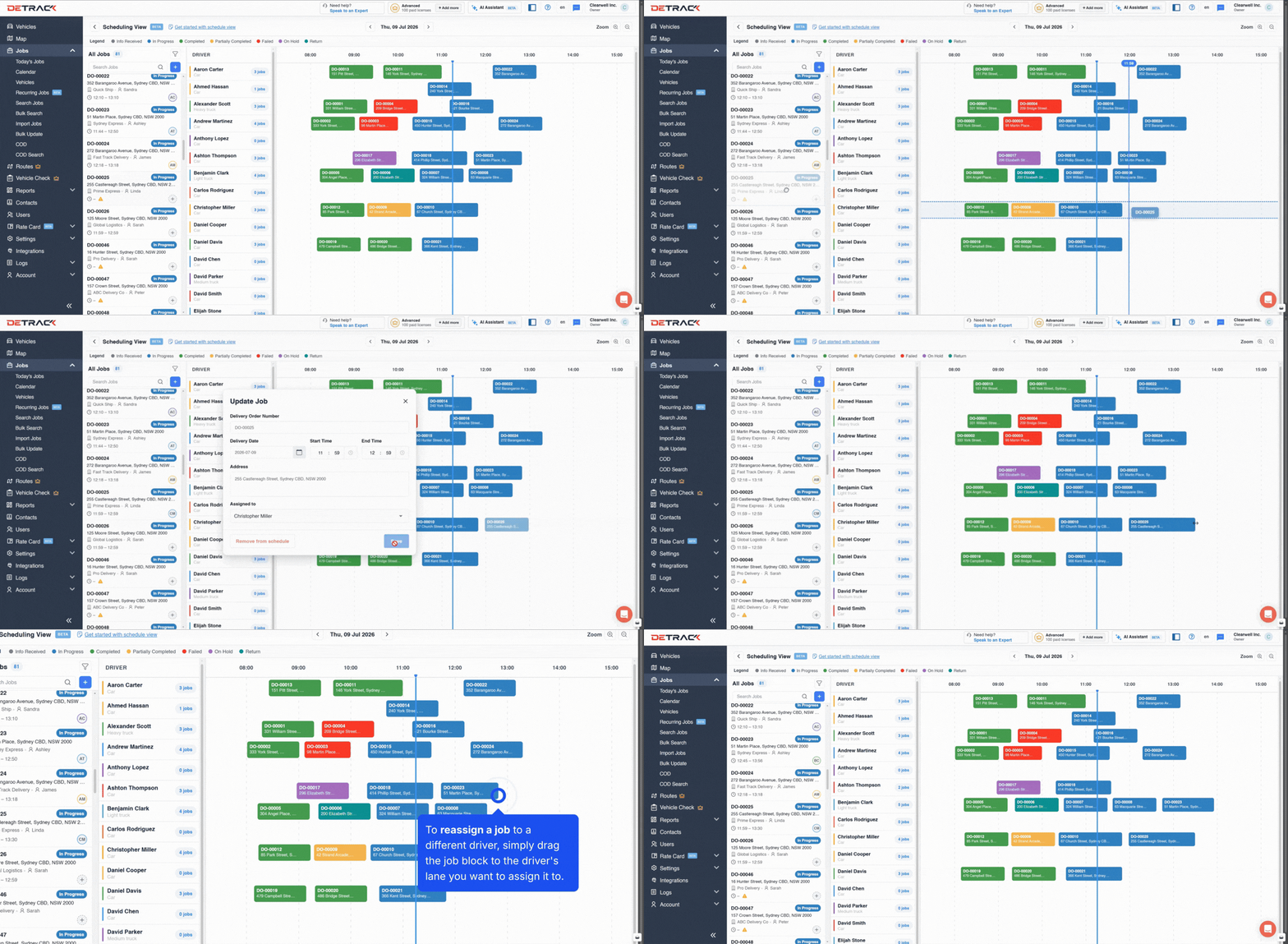
Scheduling View replaces whiteboards and any workaround tools like a shared calendar view. It shows your team’s day as a calendar-style timeline, with each driver running their own lane. Every job sits in its time slot, so you can see at a glance who is booked, who has availability, and where the day needs rebalancing.
Built for the unexpected
Things rarely go to plan – a job runs long, a customer reschedules, or a driver calls in sick. With Scheduling View, adjusting on the fly is as simple as dragging a job to another driver’s lane or sliding it to a new timeslot. No rebuilding routes, no starting over, and the job data stays intact.
How to schedule and reassign jobs
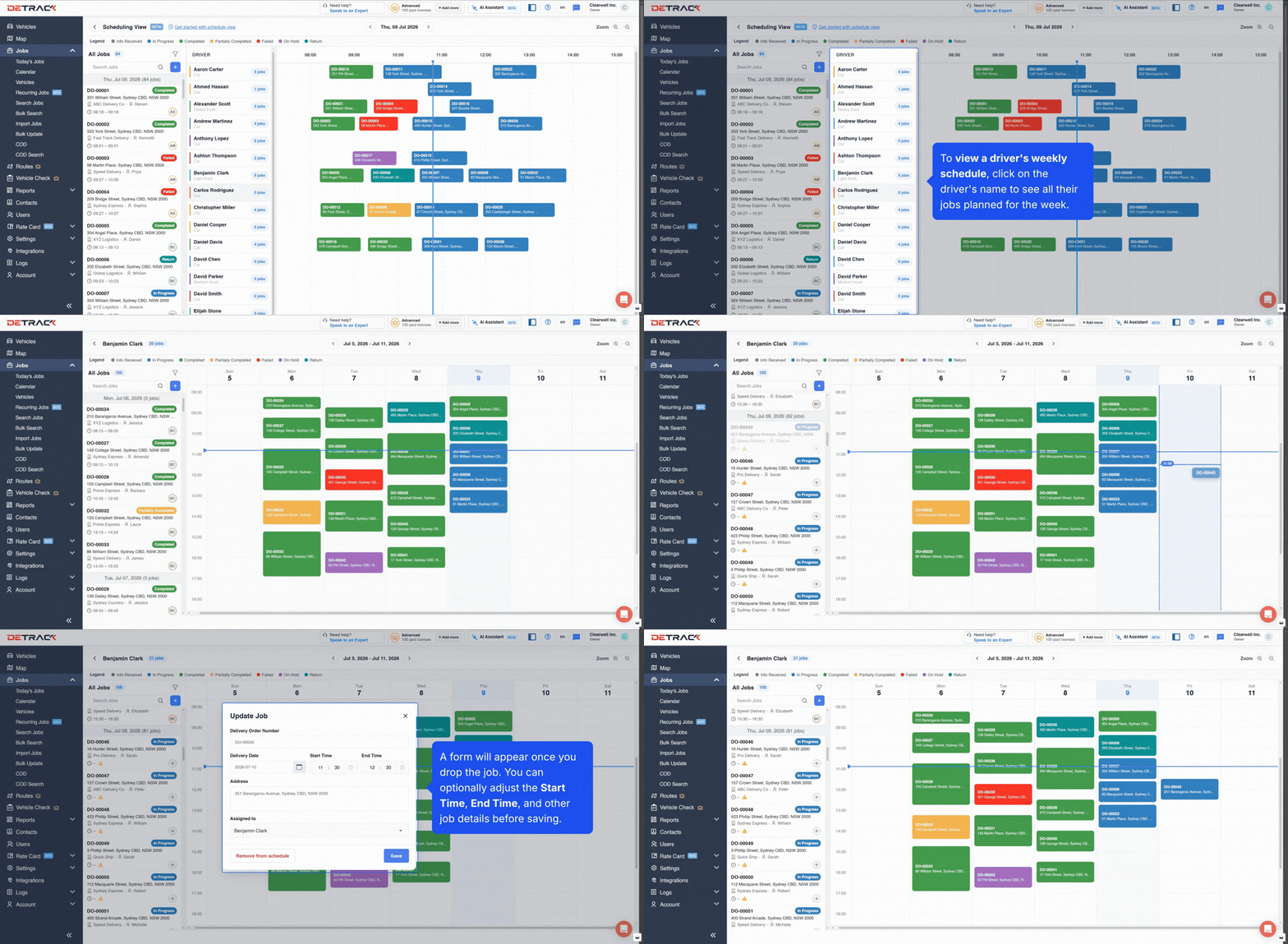
And when a customer asks for a booking next Tuesday, click into any driver to see their full weekly schedule and commit to a time with ease.
How to view and update a driver’s weekly schedule
Ideal for teams that run on bookings and timewindows
Customers who don’t often leverage our route optimisation tools to build the most efficient travel order requested this feature and these are the most common use cases.
Services and trades
Set delivery times for delivery of trade goods
Healthcare
Specimen pickups and medication deliveries at set times
Furniture and movers
Delivery crews working to agreed windows, often with onsite install time
Building supplies
Deliveries booked around crane time and site access windows
Florists and gifting
Serving key life moments like weddings, where timing matters most
3PLs
Trusted to honour contracted delivery slots for retail customers
💡 Getting started: We’ve created this handy guide to help you get set-up.
Help us shape the new Driver app
We’ve been rebuilding the Detrack Driver app to unlock new features like in-app driver chat and map views. Before we roll it out, we’re looking for companies to join the beta and put it through its paces. You’ll get early access to new features as they drop, and a direct line to the team building them. If you’d like to be involved, drop your name and email address below and we’ll be in touch.